Welcome to the Experiment
Before we begin, please provide some information about yourself. All data is anonymous and used only for research purposes.
Understanding Heatmaps
What is Explainable AI?
When an AI system makes a decision, such as recognizing an object in a photo, it doesn’t usually explain how the decision is made. Explainable AI (XAI) aims to provide methods that help humans understand how and why a model reaches a particular decision. One common approach is to create visual explanations that highlight which parts of the image the model focused on when making its choice.
🔍 Heatmaps
In Explainable AI, a common way to highlight which parts of an image the AI model considers most important for its decision is the Heatmap. Heatmap uses a spectrum of colors (from cold blue to warm red) to highlight the importance of the area in the image for the decision.
The Jet Colormap
Blue = Low attention (cold) → Green/Yellow = Medium attention → Red = High attention (hot)
Example: Understanding a Heatmap

An image containing a cat and a dog
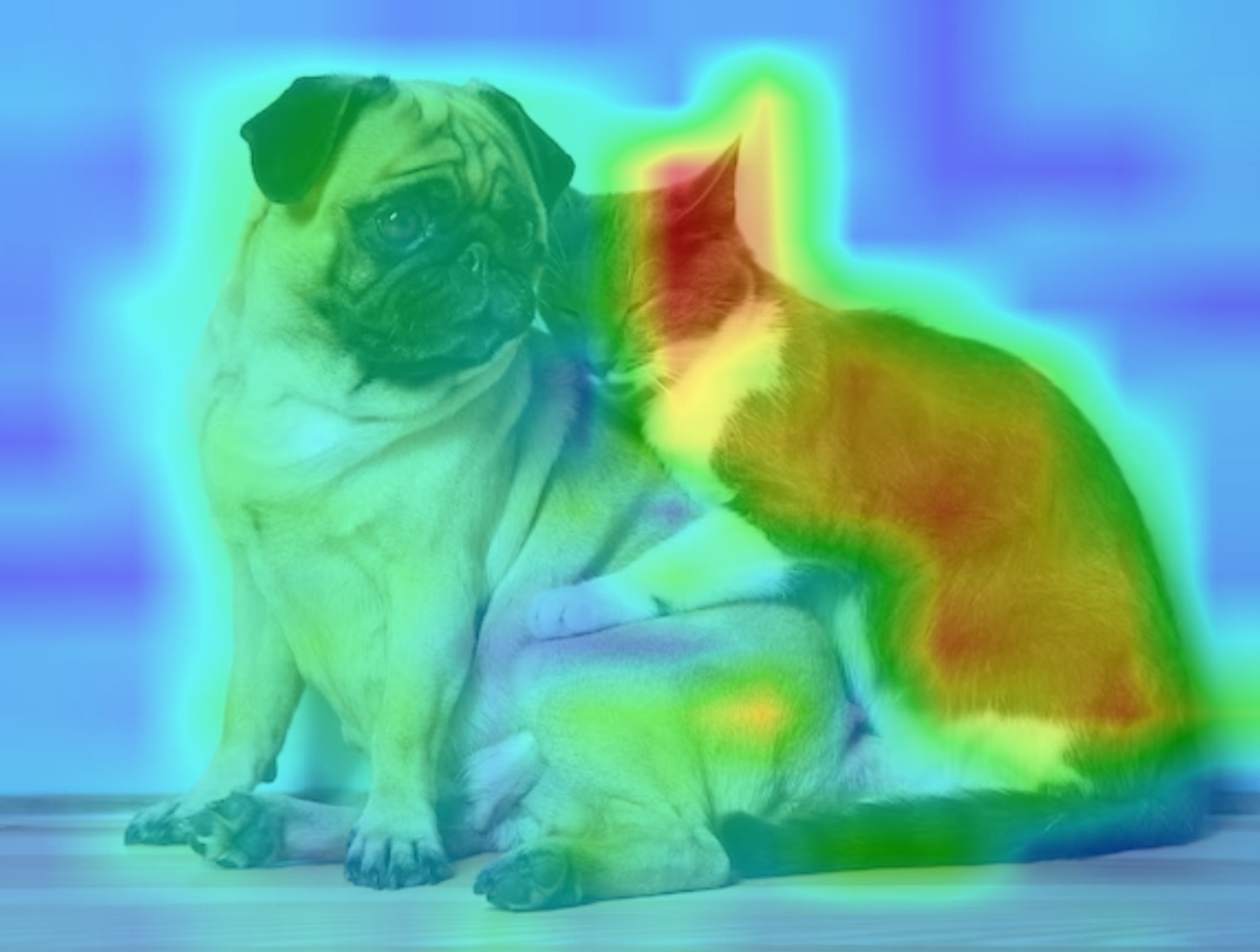
The model highlights the cat (red/orange areas)
In this example, when asked about "Cat", the heatmap shows warm colors (red/orange) concentrated on the cat. This means the model is correctly focusing on the cat region to identify it.
Example: When the Object is Missing
Image with Cat and Dog (No Sheep)
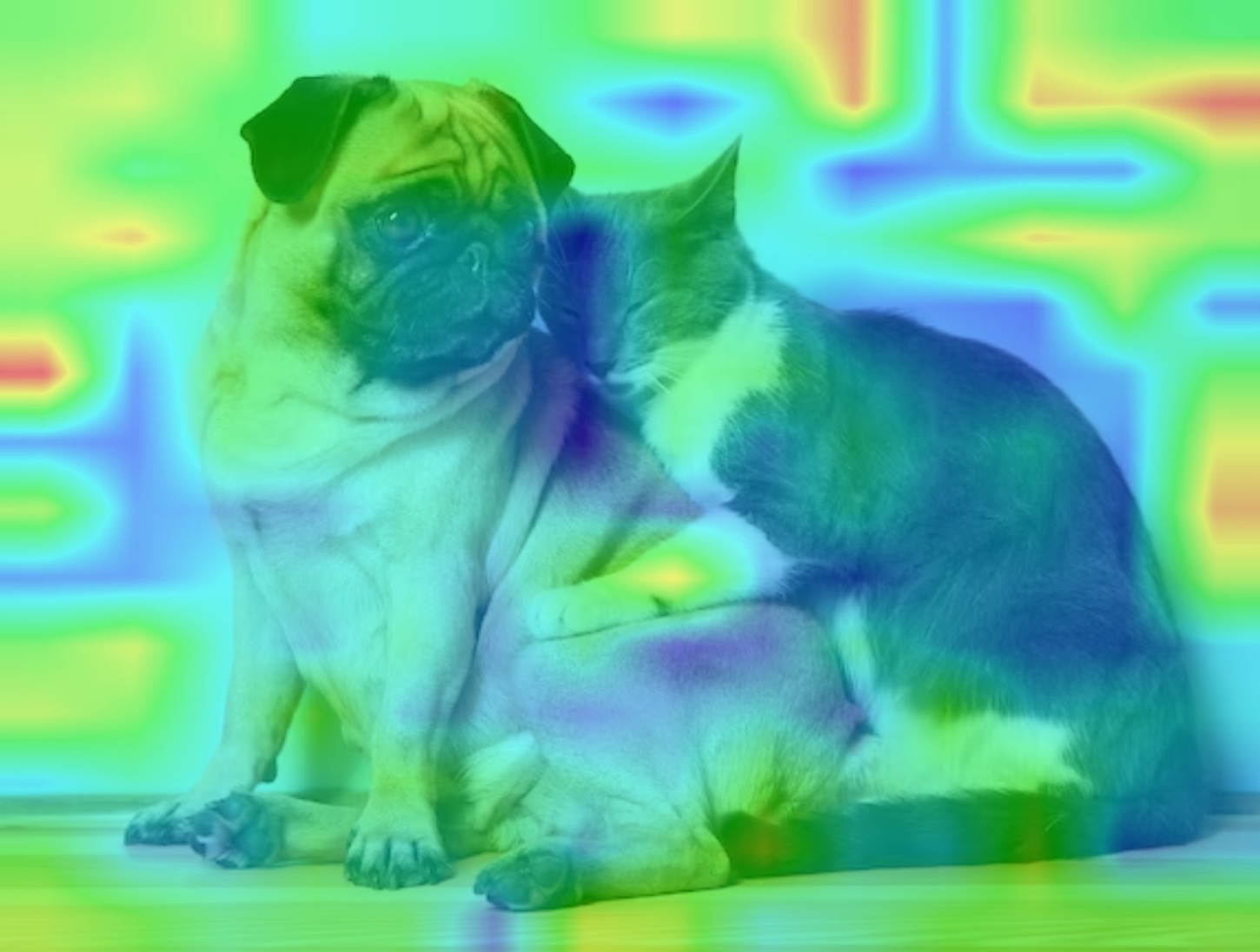
The model is asked to find Sheep
Sometimes the model is asked about an object that is not present in the image. In this case, the heatmap might look scattered, random, or highlight irrelevant areas. Since there is no "Sheep" in the image, the correct answer is "None of them".
Practice: Can You Read the Heatmap?
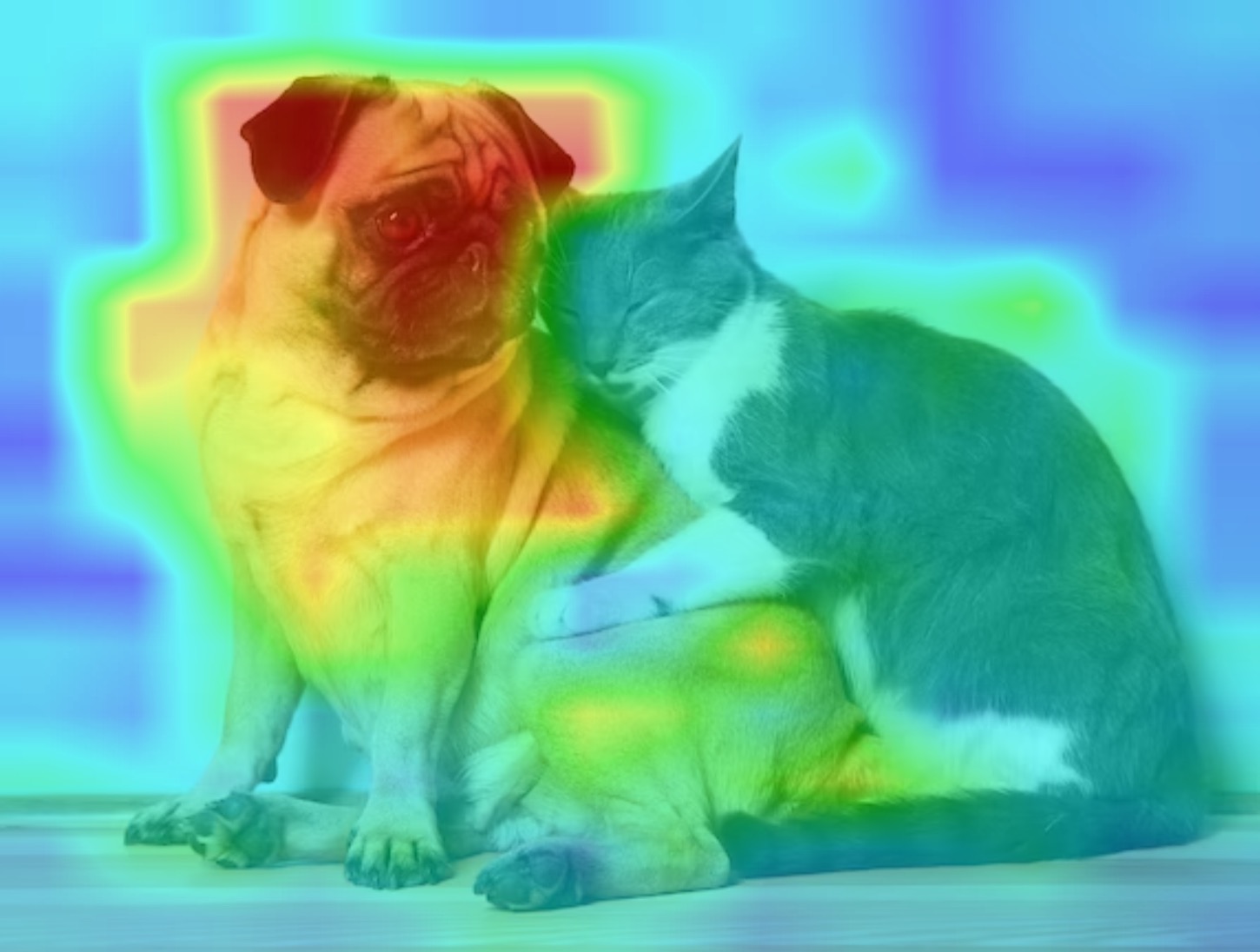
Question: Based on the heatmap, which class is the model focusing on?
Based on the heatmap, which class is the model focusing on?
How confident are you?
How well does this heatmap work to understand the correct answer?
Experiment Completed
Thank you for participating!
Thank You!
Your responses have been saved.